- CNC & laser Cut
- Custom Vector
- Free designs
- Custom Digitizing
- Custom SVG
- CNC & laser Cut
- Custom Vector
- Free designs
- Custom Digitizing
- Custom SVG
- CNC & laser Cut
- Custom Vector
- Free designs
- Custom Digitizing
- Custom SVG

MENU
Case Study•Back to Case Studies
Why Embroidery Designs Shift During Stitching?
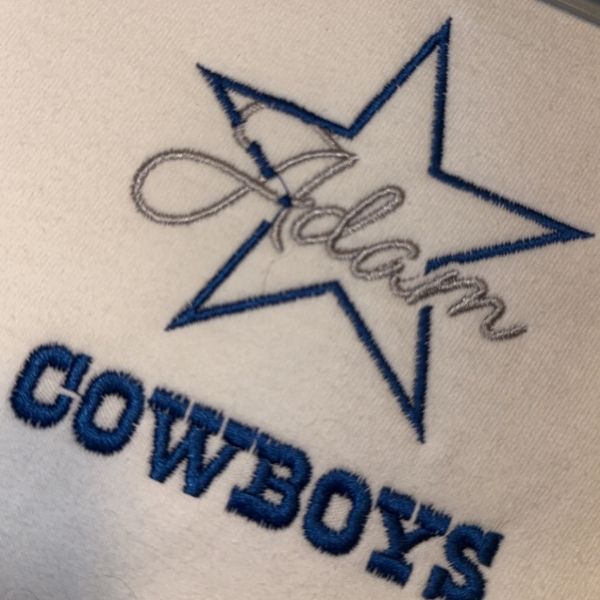
A client was stitching this 3 inch Cowboys embroidery design featuring a script name layered over a star outline. During the stitch-out, the lettering shifted slightly and stitched unevenly across the border, making the design appear misaligned at first glance.
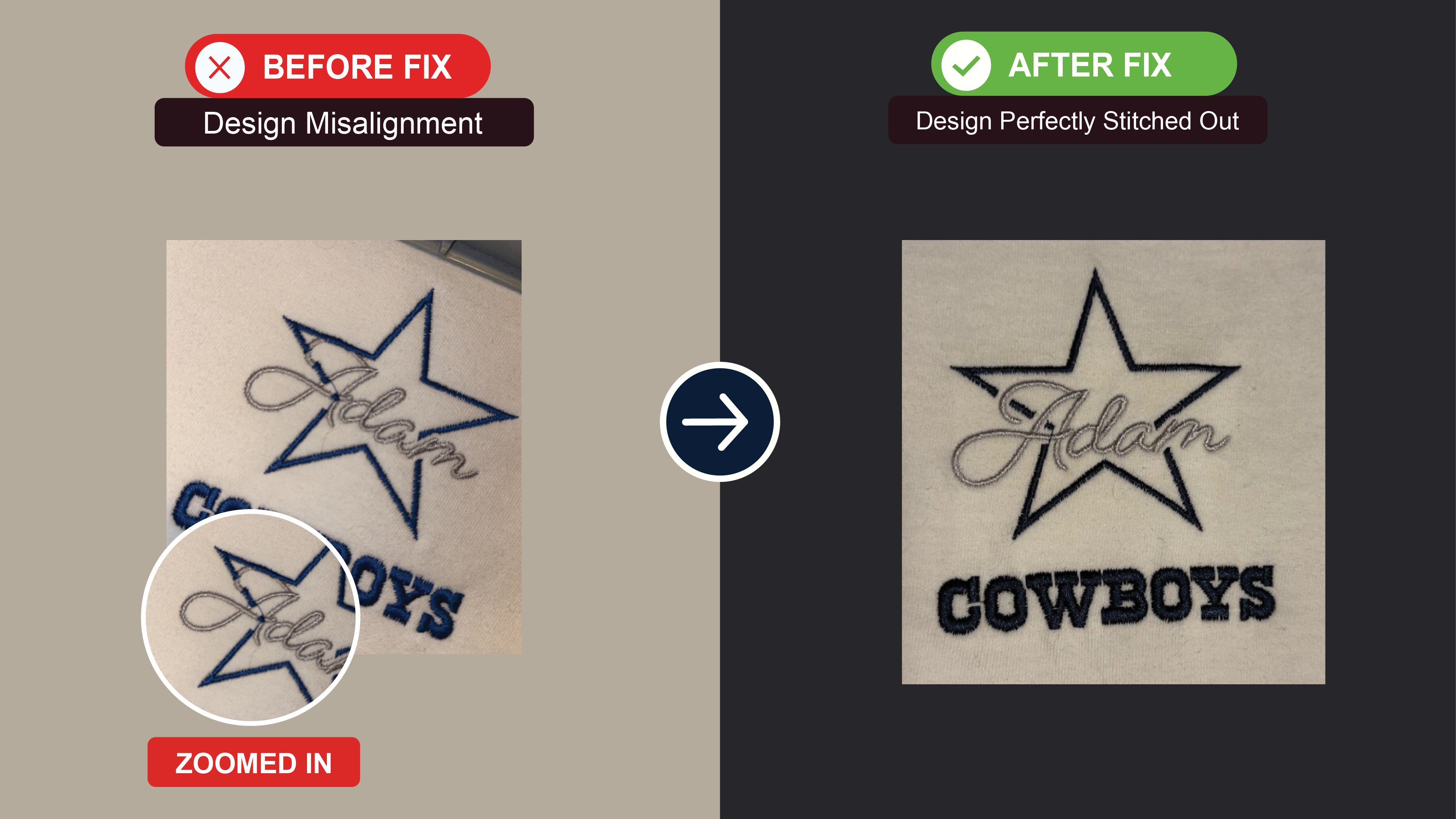
Featured image used as case study image.
The Problem
The client noticed that:
the script name moved slightly during stitching
the lettering crossed unevenly over the star outline
alignment looked off after the machine continued stitching the design appeared distorted in some areas
At first, it looked like the embroidery file had digitizing problems.
Because the name stitched first and the outline stitched afterward, even a small fabric movement became very noticeable.
the script name moved slightly during stitching
the lettering crossed unevenly over the star outline
alignment looked off after the machine continued stitching the design appeared distorted in some areas
At first, it looked like the embroidery file had digitizing problems.
Because the name stitched first and the outline stitched afterward, even a small fabric movement became very noticeable.
What We Found
After checking the stitch-out photos and discussing the setup with the client, we found:
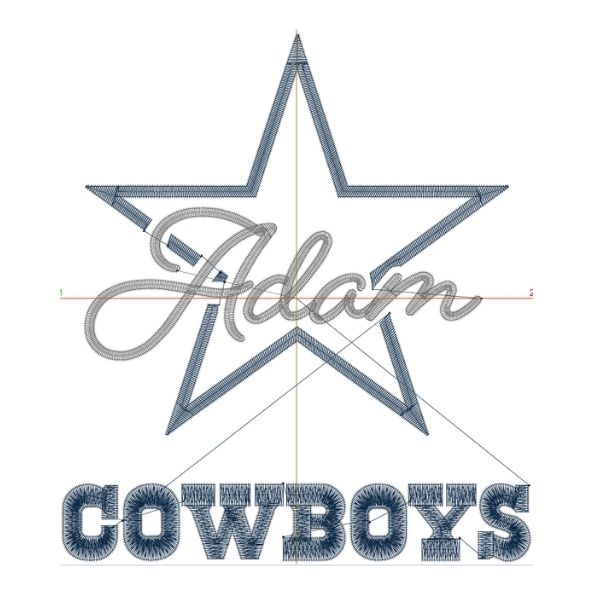
the embroidery file was properly digitized
stitch sequencing was correct
the alignment in the file itself was accurate
The real issue came from stabilization.
The client originally used:
a lighter no-show backing
softer stabilization underneath the fabric
During stitching, the fabric shifted slightly inside the hoop.
That movement caused the second stitching layer to land off position.
👉 The machine did not physically malfunction.
👉 The fabric was moving during embroidery.
the embroidery file was properly digitized
stitch sequencing was correct
the alignment in the file itself was accurate
The real issue came from stabilization.
The client originally used:
a lighter no-show backing
softer stabilization underneath the fabric
During stitching, the fabric shifted slightly inside the hoop.
That movement caused the second stitching layer to land off position.
👉 The machine did not physically malfunction.
👉 The fabric was moving during embroidery.
What We Did
We guided the client to improve stabilization by:
replacing the no-show backing
switching to a thicker cut-away backing
increasing overall support underneath the fabric
re-hooping and running the design again
The client then tested the same file a second time.
replacing the no-show backing
switching to a thicker cut-away backing
increasing overall support underneath the fabric
re-hooping and running the design again
The client then tested the same file a second time.
Why It Worked
These types of designs are very sensitive to fabric movement.
The stronger cut-away backing ( specially 2 layers ) stabilized the material much better during stitching.
Because the fabric stayed firm:
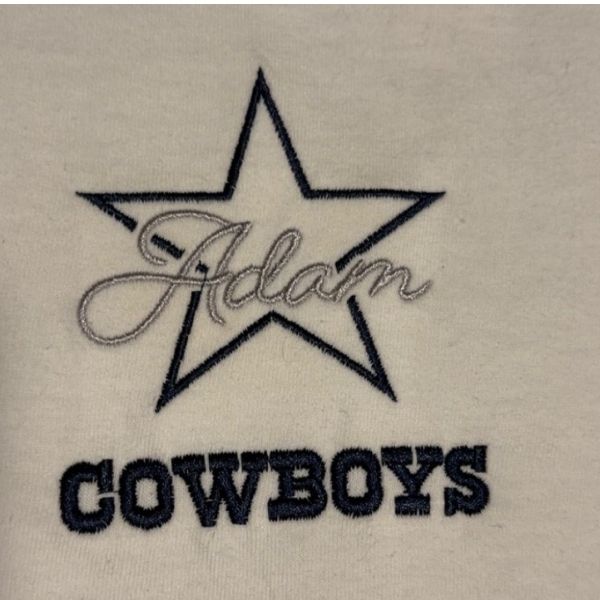
the lettering remained aligned
the outline landed correctly
the layers matched properly
the embroidery looked clean and centered
The stronger cut-away backing ( specially 2 layers ) stabilized the material much better during stitching.
Because the fabric stayed firm:
the lettering remained aligned
the outline landed correctly
the layers matched properly
the embroidery looked clean and centered
Final Results
- Name aligned correctly over the star
- No visible shifting between stitch sections
- Proper stitch-out with improved backing support
- File confirmed to be working properly
Client Feedback
"“It’s fixed! Thank u for ur help”"
— Garza
Project Gallery
5 images

Copyright © 2026 Las Vegas Designs USA. All rights reserved.