- CNC & laser Cut
- Custom Vector
- Free designs
- Custom Digitizing
- Custom SVG
- CNC & laser Cut
- Custom Vector
- Free designs
- Custom Digitizing
- Custom SVG
- CNC & laser Cut
- Custom Vector
- Free designs
- Custom Digitizing
- Custom SVG

MENU
Case Study•Back to Case Studies
Large Jacket Back Design Shifting Resolved After Machine Reset and Retesting
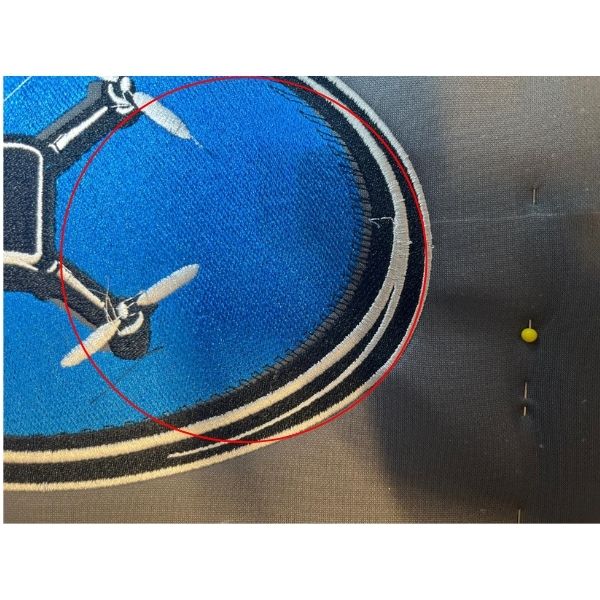
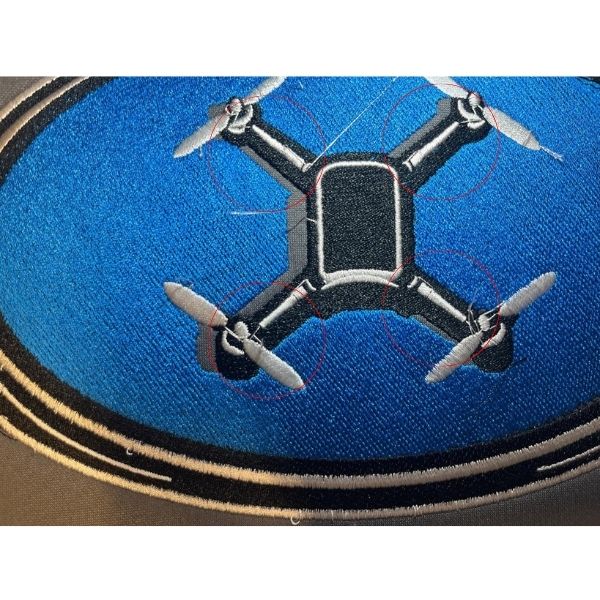
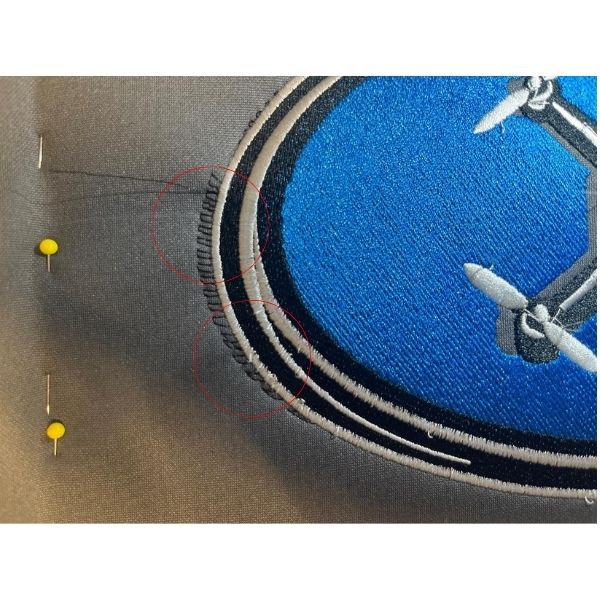
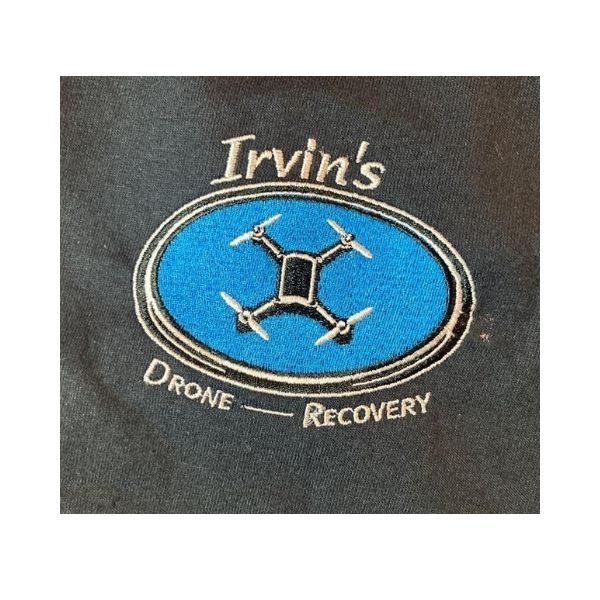
A client tested three different embroidery sizes for the same logo including a hat version, left chest version, and a large jacket back version. The smaller sizes stitched perfectly without any issues, but the large hoodie design stitched badly out of line during production. The blue fill stitched correctly first, but the black details and borders no longer matched up, making the design look shifted and uneven.
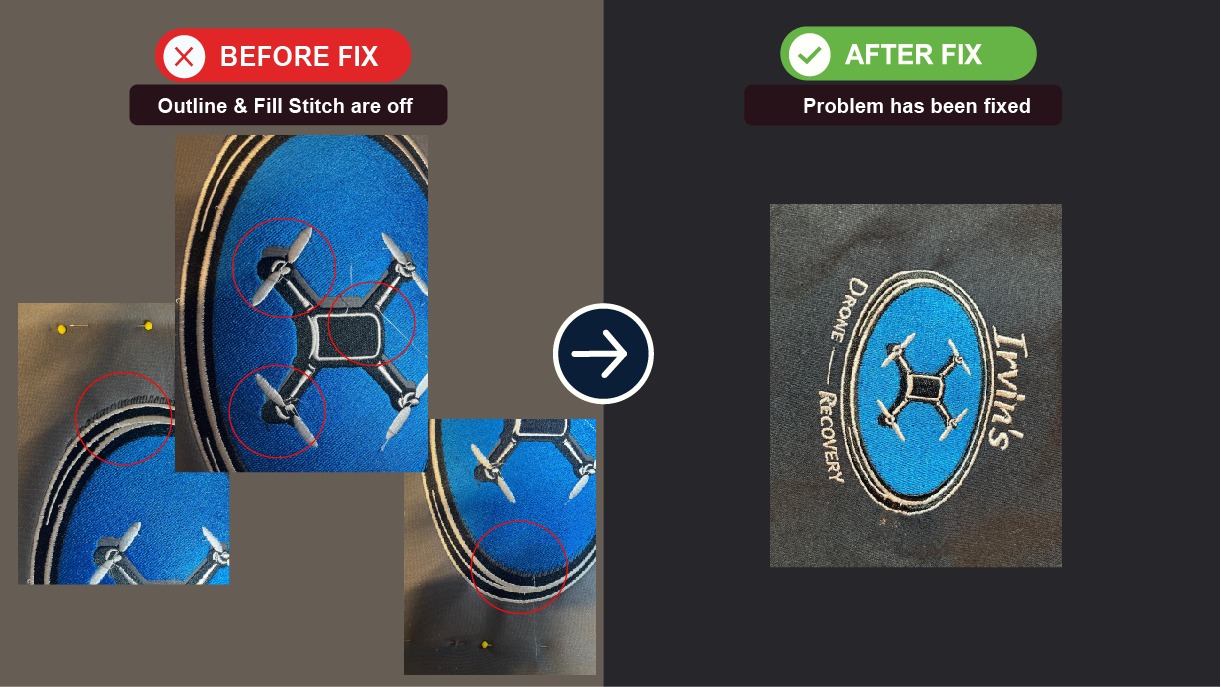
Featured image used as case study image.
The Problem
The client successfully stitched:
the small hat version
the left chest version
But when stitching the large jacket back version, the design became badly misaligned.
The client noticed:
black details not lining up with the blue fill
borders shifting during stitching
parts of the design moving out of place
the hoodie becoming unusable after the test run
Since the smaller versions stitched perfectly, it first seemed like something might have been wrong with the larger embroidery file.
the small hat version
the left chest version
But when stitching the large jacket back version, the design became badly misaligned.
The client noticed:
black details not lining up with the blue fill
borders shifting during stitching
parts of the design moving out of place
the hoodie becoming unusable after the test run
Since the smaller versions stitched perfectly, it first seemed like something might have been wrong with the larger embroidery file.
What We Found
After reviewing the stitch-out photos and discussing the setup, the embroidery file itself did not look like the main problem.
The smaller sizes of the same design stitched perfectly, which showed the digitizing itself was done correctly. The stitch order, directions, and overall file setup were all working properly.
When a smaller version runs fine but the larger one has problems, it is usually caused by:
fabric shifting during stitching
hooping problems
stabilizer issues
machine settings
thread or needle problems
Large jacket back embroidery puts much more pull on the fabric compared to small chest or hat logos. Hoodies can also move more during long stitch runs, especially around large fill areas and borders.
The smaller sizes of the same design stitched perfectly, which showed the digitizing itself was done correctly. The stitch order, directions, and overall file setup were all working properly.
When a smaller version runs fine but the larger one has problems, it is usually caused by:
fabric shifting during stitching
hooping problems
stabilizer issues
machine settings
thread or needle problems
Large jacket back embroidery puts much more pull on the fabric compared to small chest or hat logos. Hoodies can also move more during long stitch runs, especially around large fill areas and borders.
What We Did
• Reviewed the stitch-out photos shared by the client
• Compared the successful smaller versions with the failed large version
• Rechecked the embroidery file structure
• Suggested resetting the machine
• Asked the client to reload and resave the file
• Recommended checking the thread and needle
• Suggested running another test stitch before changing the file
• Compared the successful smaller versions with the failed large version
• Rechecked the embroidery file structure
• Suggested resetting the machine
• Asked the client to reload and resave the file
• Recommended checking the thread and needle
• Suggested running another test stitch before changing the file
Why It Worked
The client reset the machine, reloaded and resaved the file, changed the thread and needle, and tested the design again. After that, the design stitched correctly.
This showed the issue was mainly caused by the machine setup during stitching and not by the embroidery file itself.
The embroidery file was already working properly because:
the smaller versions stitched perfectly
the design stayed consistent
the alignment issue disappeared after resetting and retesting
Large embroidery designs are much more sensitive to fabric movement and machine setup problems, especially on hoodies and thicker materials.
This showed the issue was mainly caused by the machine setup during stitching and not by the embroidery file itself.
The embroidery file was already working properly because:
the smaller versions stitched perfectly
the design stayed consistent
the alignment issue disappeared after resetting and retesting
Large embroidery designs are much more sensitive to fabric movement and machine setup problems, especially on hoodies and thicker materials.
Final Results
- Large jacket design stitched correctly after retesting
- Alignment problems fixed
- No redesign needed
- Smaller designs confirmed file quality
- Successful jacket back stitch-out completed
Client Feedback
"“I have reset the machine, reload and resaved the file, changed thread/needle, completed a test and something appears to have worked.”
“Thank you for always responding so quickly!”"
“Thank you for always responding so quickly!”"
— Jenny
Project Gallery
6 images
Copyright © 2026 Las Vegas Designs USA. All rights reserved.